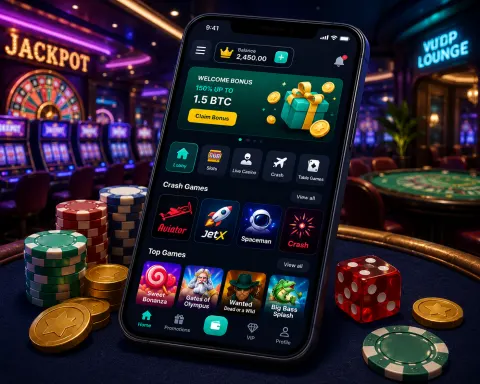
Online casino play has moved from the desktop to the phone. With fast mobile internet and capable smartphones, you can now play almost anything on a phone or tablet that you could on a computer. This guide compares mobile and desktop casino play on access, flexibility, game choice, live dealer games, controls and apps.
| Factor | Mobile | Desktop |
|---|---|---|
| Where you play | Anywhere with a connection | At your computer |
| Session length | Suits a few spins or a long session | Suits longer sessions |
| Game choice | Most popular titles, including live dealer | The full lobby |
| Controls | Tap, swipe and pinch | Mouse and keyboard |
| Screen | Small, built for touch | Large, more detail on screen |
| Apps | Optional casino apps with notifications and biometric login | Usually played in the browser |
What actually changes between phone and computer
A phone and a desktop computer run the same casino account. The cashier, the balance and the game history stay on the casino's servers, so switching device does not open a second wallet. What changes is the screen, the input method and the length of session the device invites.
Mobile casino play puts the lobby in a portrait layout. Buttons sit in reach of a thumb, and the game fills the width of the screen. Desktop casino play spreads the same lobby across a wide monitor, so filters, the bet panel and a chat window can sit side by side.
The connection is the shared constraint. A dropped signal pauses a slot the same way a closed laptop does. Live tables are stricter, because the video stream and the bet timer both need a steady link.
Access and convenience
The biggest advantage of mobile play is access. At home, on a commute or on holiday, a mobile casino is always with you, and you are not tied to a desk.
That makes it easy to fit a session into your day: a few minutes on the sofa, while waiting for a friend or during a break. Set a time and spending limit before you start, because easy access also makes it easy to play longer than planned.
Access is also a risk control problem. A phone in a pocket means the lobby is one unlock away, including late at night or during a break you did not plan as gambling time. Deposit limits and session reminders work on the phone and on the computer when the casino offers them in the account settings.
Convenience does not change the house edge. A slot's return is set by the game maths, whether you tap a phone or click a mouse. Shorter sessions can still add up if you start several of them in one day, so a daily time cap is more useful than a promise to play only on one device.
Portability and flexibility
Phones and tablets go wherever you go. You can play a few quick slot spins while you wait in line, or settle into more involved games such as blackjack or poker during an evening at home. Mobile play adapts to the time you have.
Portability has a battery and a data cost. A live stream uses more data than a slot, and a low battery can end a session in the middle of a hand. Desktop play avoids that drain because the computer stays plugged in, which is why longer table sessions often stay at a desk.
Flexibility cuts both ways. A two-minute slot session is easy to stop. A multi-hand blackjack shoe is harder to pause if the phone rings or the train arrives. Choose the game to match the time you actually have, then leave the lobby when that time ends.
Game variety
Mobile casinos no longer offer a cut-down selection. You get slots, table games, live dealer games and more. Most popular titles are available on both mobile and desktop, and the range of games in the lobby keeps growing, so you are unlikely to run out of choice on a phone.
Game variety still has a few desktop leftovers. Some older titles, some multi-table poker layouts and some very wide roulette racetracks are built for a mouse and a large monitor. If a title is missing on the phone, the same login on a computer is the check, because the catalogue is tied to the account, not to a second registration.
Search and filters matter more on a small screen. A phone lobby that hides the provider or the volatility filter makes a large catalogue feel smaller. Desktop lobbies usually keep those filters visible, which helps when you already know the studio or the bet range you want.
Live dealer and real-time games
High-quality video streaming and touch-friendly controls bring live dealer tables to your phone. Real-time formats such as live blackjack suit mobile well, because you are already holding the controls. Casinos keep optimising their live lobbies for phones and tablets, so the stream and the betting panel fit the screen. Use Wi-Fi or a strong 4G/5G signal for a smooth stream.
Live dealer play on a phone trades overview for closeness. You see one camera angle and a compact bet grid. On a desktop you can often keep the racetrack, the statistics panel and the chat open together. The rules of the table, the minimum bet and the timer do not change with the device.
Latency shows up as a late bet, not as a different game. If the timer expires before your tap registers, the hand proceeds without that stake. A wired or strong Wi-Fi connection on a computer is steadier for long live sessions. A phone on mobile data is fine for a short shoe if the signal stays strong.
Touch controls and interface
Touch controls are one of mobile's real advantages. Tapping, swiping and pinching make games feel direct, and mobile casinos design their menus and buttons for small screens so you can find games and the cashier easily.
Phones also come with accessibility settings such as larger text, screen readers and reduced motion, and many casino sites respect them. On desktop, the bigger screen shows more at once, which some players prefer for detailed tables or long sessions.
Touch controls remove the mouse, and they also remove hover. Desktop interfaces often reveal paytables or side bets when the pointer rests on a control. Mobile interfaces have to show those controls as taps, or tuck them behind a labelled button. If a control is only a tiny icon, the desktop version of the same game is easier to read.
Orientation is a real choice. Portrait suits one-thumb slots. Landscape suits blackjack and roulette, because the bet spots need width. Lock the orientation the game was drawn for, then keep notifications silent so a banner does not cover the bet button.
Offline play and casino apps
Offline play: some free casino games and apps work without an internet connection. Real-money play always needs a connection, because every bet is settled on the casino's servers.
Casino apps: many mobile casinos offer a downloadable app for iPhone or Android. Apps can open faster and add push notifications and biometric login. Others prefer to play in the mobile browser, with nothing to install. Both give you the same account and games, so choose the one that suits how often you play.
An app and a mobile browser share the cashier when they share the login. Biometric login is an app convenience. It does not change deposit limits. Push notifications are optional, and they can pull you back into the lobby, so turn them off if you want the app only as a faster way to open games you already chose.
Updates are the maintenance difference. An app needs a store update when the casino ships a new build. A browser lobby updates when the site does. Desktop play is almost always the browser, so there is nothing to install and nothing that can fall behind a store review.
Security checks are the same steps on both devices: the casino's own login, any extra code it sends, and the device lock on the phone. A shared computer needs a private browser session and a logout. A personal phone still needs a passcode, because the app can remember the account.
Limits and session control on each device
Session control works the same way on a phone and on a computer, but the habits around it differ. A casino account usually offers deposit limits, loss limits, session reminders and a self-exclusion option in the account settings. These tools are stored with the account on the casino's servers, so a limit set on the phone also applies when you log in on the computer.
Set limits before the first session, not during one. A limit changed in the middle of a losing run is often changed by a player who already wants to keep playing. Our responsible gaming guide explains each tool, how to request a cooling-off period and where to find support if play stops being a choice.
Phones make it easy to lose track of time. A session that starts on the sofa can run through lunch without a natural end point, because the lobby is always one unlock away. Turn on any reminder the casino offers, and keep the casino app off the home screen if you want a small barrier before each session.
Desktop sessions carry a different risk. A long sitting period with a large screen and a full table view can hold attention for hours, and the body rarely signals a break. Set an alarm for the end of the session, and stand up between rounds if the game allows a pause.
Notifications deserve their own setting. Promotional alerts arrive on a phone at any hour, while a browser on a computer only shows them when the tab is open. Turn off promotional push messages if they prompt you to return to the lobby, and keep only the alerts that confirm a withdrawal or a limit change.
Signal, battery and data use
A mobile session depends on three things that a desktop session rarely has to manage: signal strength, battery charge and the mobile data allowance. Each one can interrupt a game in a different way. A weak signal delays a bet, a flat battery closes the browser tab, and a data cap slows a live stream until the picture breaks up.
Live video uses far more data than a slot. A slot sends small updates after each spin, while a live table sends a continuous stream of video for as long as the table is open. On a metered plan, a long live session can use a large share of the monthly allowance in a single evening. Wi-Fi removes that limit, so a home connection is the better choice for long table sessions.
Battery drain follows a similar pattern. A bright screen, a constant video stream and a poor signal all draw power at the same time. Charging the phone before a long session, or keeping it on a charger at a desk, avoids a shutdown in the middle of a hand. A laptop on battery power can also enter sleep mode during a session, which pauses the stream and can leave a bet unresolved until the connection returns.
Plan the connection before the game starts. Check the signal at the place where you intend to sit, and move to a steadier spot if the picture stutters. A session that reconnects after a dropped link can reopen on a different table, so confirm the table name and the minimum bet before you place the next stake.
The account, bonuses and cashier on each device
Most casinos use one account for every device. The login, the cash balance, the bonus balance and the cashier history are held on the server, so the same wallet appears on a phone, a tablet and a computer. This is the main reason the choice of device rarely changes the money side of play.
Bonus terms apply to the account, not to the device. A wagering requirement counts the same qualifying bets on a phone as on a computer, provided the game counts toward it. Game weighting, maximum bet limits and expiry dates all come from the bonus terms rather than from the device used to play. Read the terms once, then check the active bonus in the account before any session that depends on it.
Cashier pages are usually the same on both devices, although the payment options shown can differ. Some methods open a banking app or a verification step on the phone, which is convenient but adds a step to each deposit. Keep a note of the method you used, because a withdrawal is normally sent back by the same route.
The device changes how you interact with the casino. It does not change the bonus terms, the cashier checks or the withdrawal process. A withdrawal request made from a phone is reviewed in the same way as one made from a computer, so the device gives you no shortcut through the checks.
Choosing a device for each session
Pick the device by the session you plan. A short session of a few spins suits a phone, because the lobby is already in your hand and the game fills the screen. A long session with several tables open, a bet history to review or a bonus to read suits a computer, where the terms and the table layout fit on one screen.
Live dealer tables need the most planning. Choose a stable connection, a charged device and a table with a minimum bet you can afford for the whole session. Desktop play keeps the stream, the statistics and the chat together, while a phone gives you a closer view of the dealer and a larger bet button.
Switching devices in the middle of a session is safe when you use the same account. Log out on the first device before you log in on the second, and check the open bet list before you start. Some games resume at the same point, and others start a new round, so read the screen before you place a stake.
Keep the decision tied to your limits rather than to the screen size. A bigger screen does not make a session shorter, and a phone does not make a session cheaper. Set the time you expect to play before you open the lobby, then close the app or the tab when that time ends.